 Valu-Deck
Your meetings and apps, one tap away.
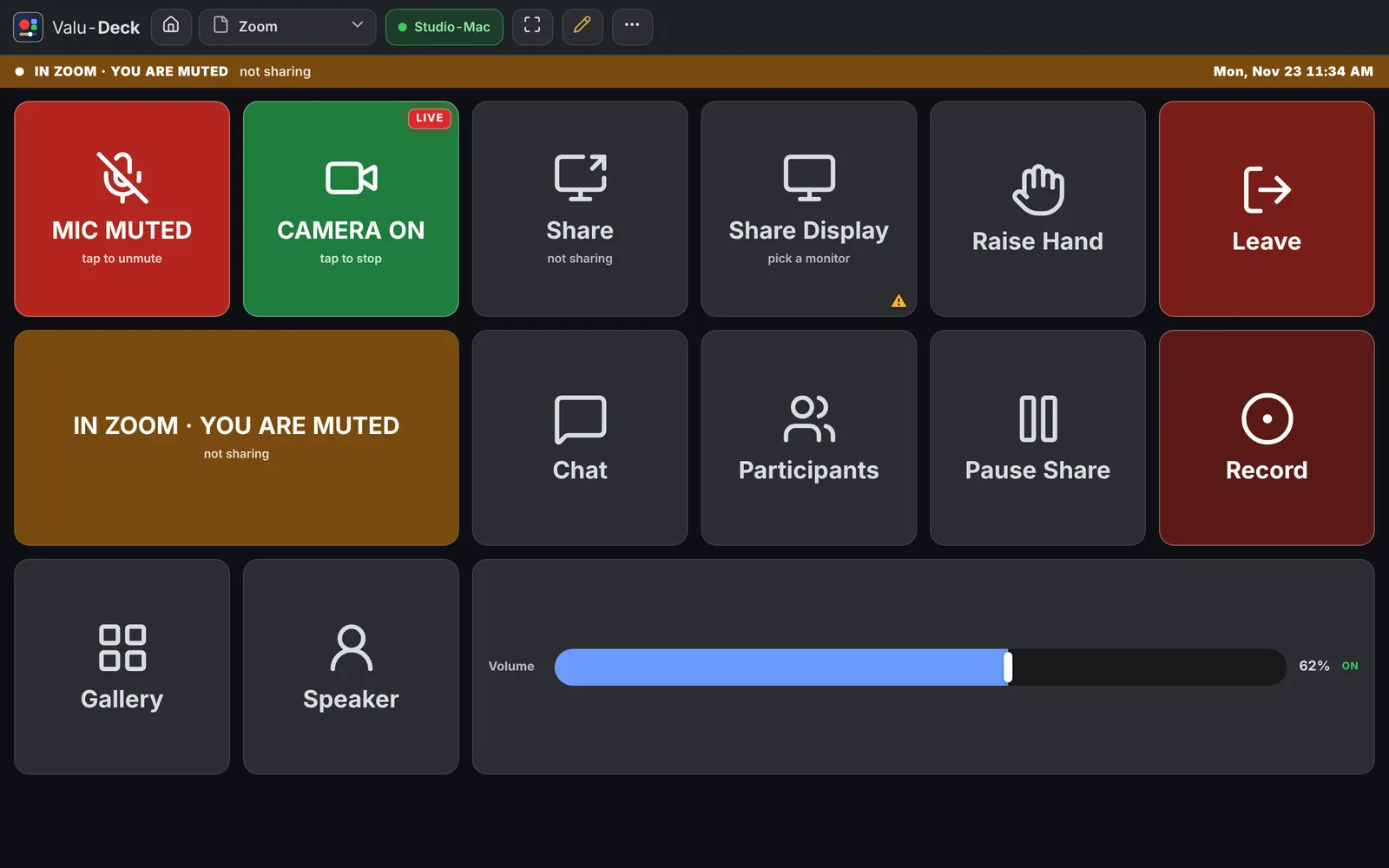
Valu-Deck turns a tablet, a phone, any web browser or an Elgato Stream Deck into a control deck for your computer. Mute, camera, share and leave in Zoom, Teams, Webex and Google Meet. Run OBS, Valu-Rec, Premiere, Office and more. Every button shows what's really happening: MIC MUTED turns red, ON AIR flashes while you share.
What Valu-Deck does
Valu-Deck runs quietly in your menu bar (Mac) or system tray (Windows, Linux). Your devices connect to it over your own Wi-Fi. Nothing goes through the internet and there's no account to make.
🎙️ Meeting controls that know the state
Mute, camera, share, raise hand, chat and leave for Zoom, Teams, Webex and Google Meet. The buttons follow the meeting you're in and show it live.
📱 Any device, no app needed
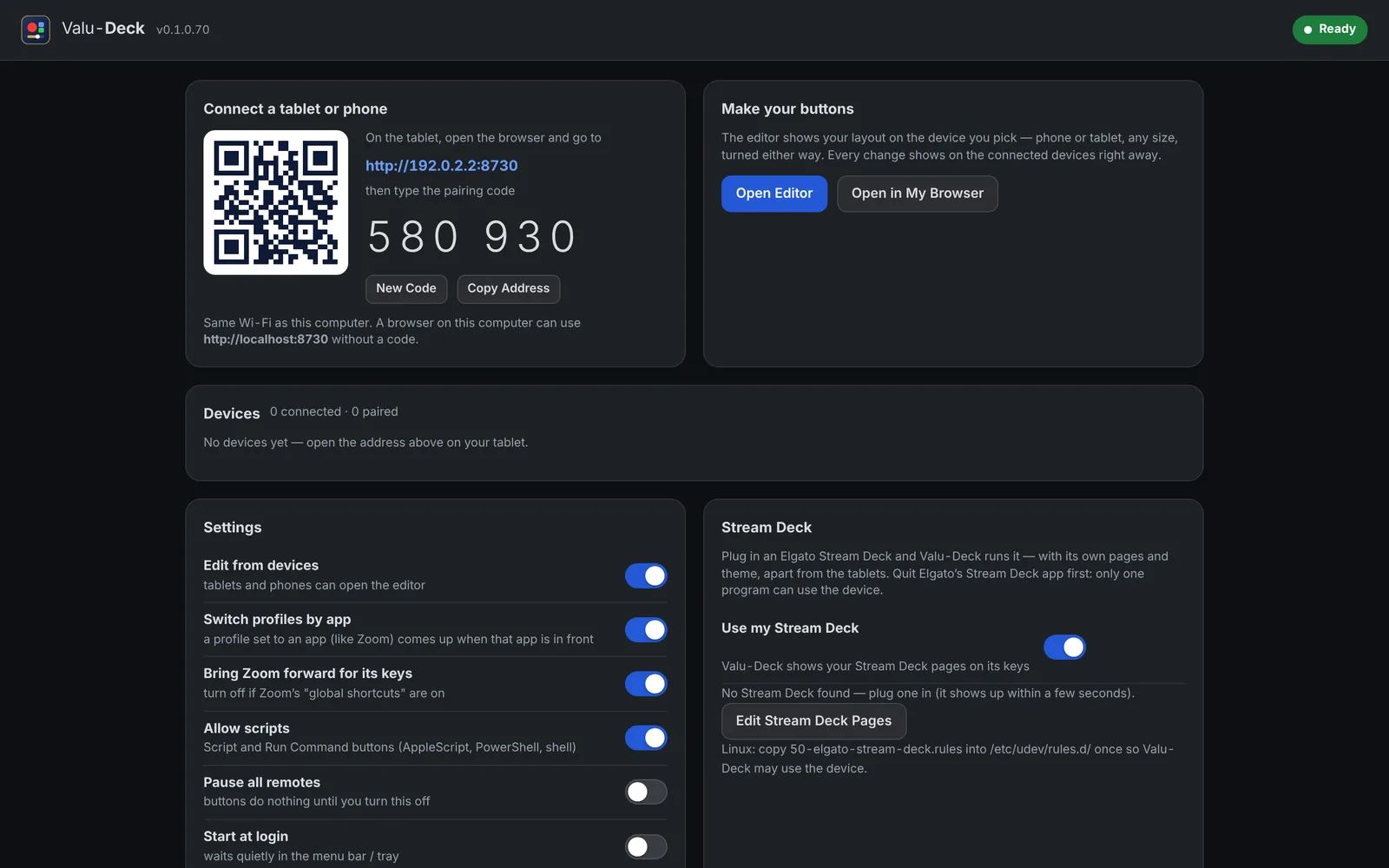
Any tablet, phone or computer with a web browser works. Scan the QR code, type the pairing code, done. There's also an Android app for Android and Fire tablets.
⌨️ Elgato Stream Deck
Plug in a Stream Deck and Valu-Deck runs it, with its own pages and key style, apart from your tablets.
🔴 Recording that flashes
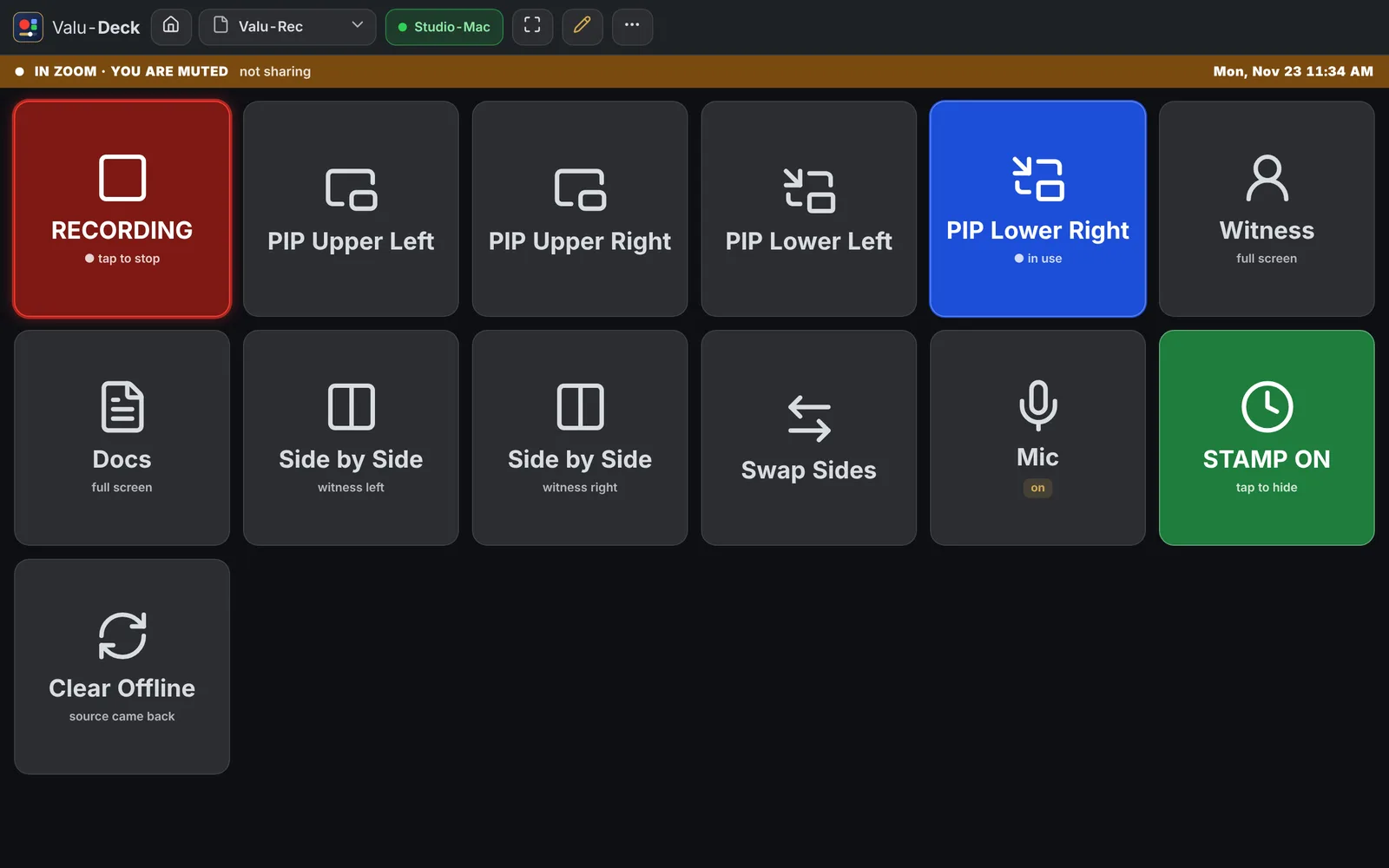
OBS connects by itself, and Record flashes red while OBS records. Valu-Rec's Record key flashes too, and its picture-in-picture layout in use lights up.
🧩 Ready-made pages
Templates for Zoom, Teams, OBS, Valu-Rec, PRISM, Streamlabs, Office, Premiere, Final Cut, Photoshop, Discord, Gmail, a TV remote and more. Templates for apps you don't have stay hidden.
🎨 Make it yours
Drag and drop editor, your own pictures with on and off states, colors, glows, seasonal themes, widgets (clocks, timers, computer health) and alerts.
Download
Install Valu-Deck on the computer you want to control. Your tablets, phones and Stream Deck connect to that computer.
Android and Fire tablets (optional)
A small app for Android and Amazon Fire tablets that opens straight into your deck, full screen. It's not in an app store: you install the file yourself (see Android app). A web browser works just as well, so this is optional.
Getting started
- Install and open Valu-Deck.The Valu-Deck window opens the first time. After that it waits in the menu bar or tray, and your computer can start it at login (menu-bar menu › Start at Login).
- Mac only: allow it to press keys.macOS asks once. Turn on Valu-Deck in System Settings › Privacy & Security › Accessibility. For Google Meet in Chrome, also turn on View › Developer › Allow JavaScript from Apple Events.
- Connect a tablet or phone.Scan the QR code with the tablet, or type the address shown into its browser. Type the 6-digit pairing code. The device is remembered after that.
- Pick a page or build your own.Open the Editor and load a template (Zoom, Valu-Rec, OBS…) or start a blank page and drag buttons in.
Tablets, phones and any browser
Valu-Deck works in any modern web browser: iPad and iPhone (Safari), Android, Fire tablets, Chromebooks, or another computer. There's nothing to install on the device.
Using the deck
- Tap a button to run it. Buttons with a live state (mute, camera, share, recording) change color by themselves, even when you change things on the computer.
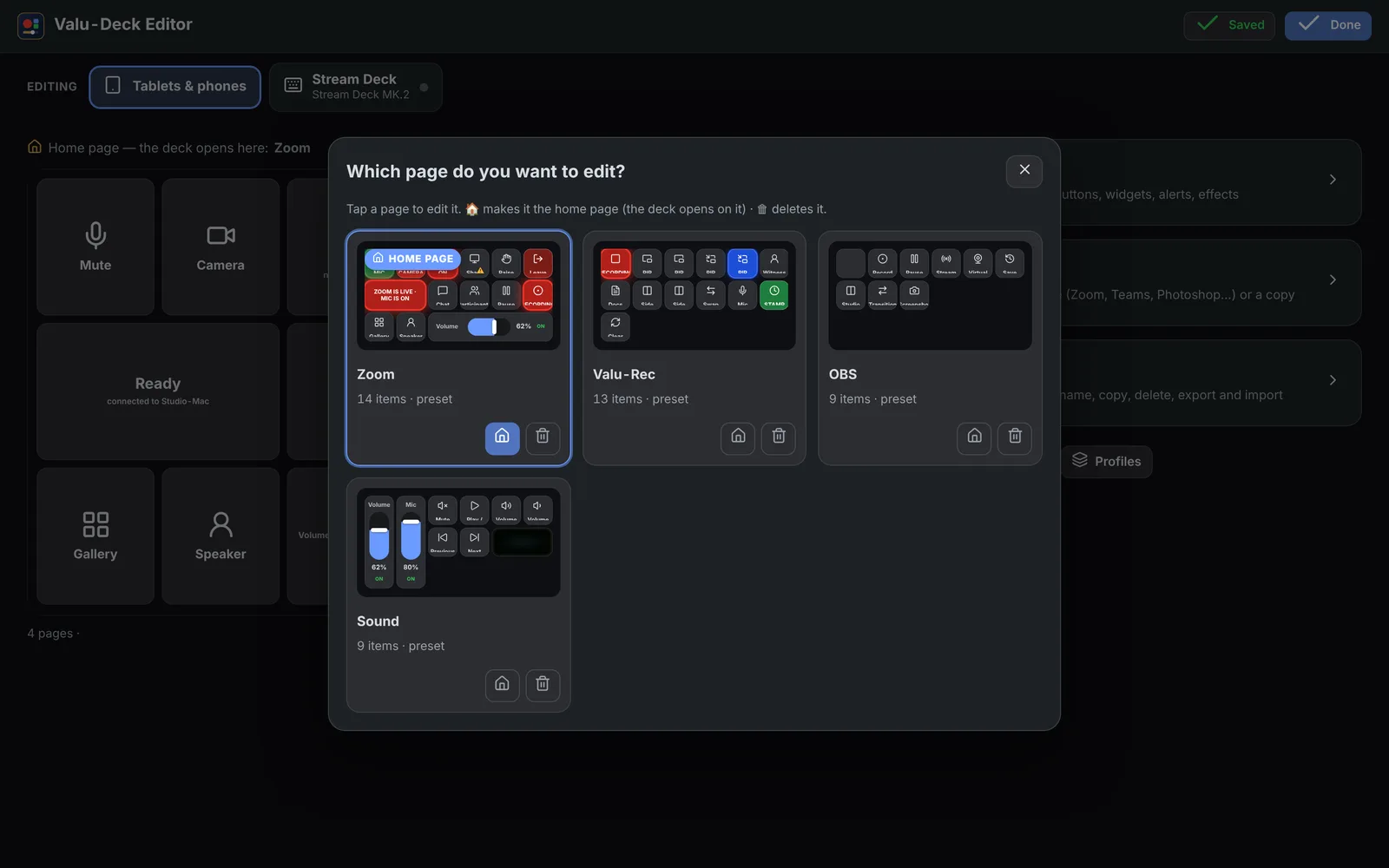
- Pages: switch with the page menu at the top, or with Next Page and Home buttons.
- Home: the house button jumps to your home page. Every device opens on its home page when it connects.
- Full screen: the corners button hides the browser bars. On iPhone or iPad, Share › Add to Home Screen opens Valu-Deck like an app.
- Turn the device: buttons flow into fewer columns in portrait, or lock the rotation in the ⋯ menu.
- Stays awake: the screen doesn't go to sleep while the deck is open, and it reconnects by itself if Wi-Fi drops.
The Android app (sideloaded)
The Android app opens your deck full screen with no browser bars. It runs on Android tablets and phones and on Amazon Fire tablets. It isn't in Google Play or the Amazon Appstore, so you install the .apk file yourself. This is called sideloading. The app is not signed by a store, which is why the device asks you to allow it.
Android tablets and phones
- Download the .apk on the tablet.Open this page on the tablet and tap Download the Android app.
- Open the downloaded file.Android asks to allow installs from your browser: tap Settings, turn on Allow from this source, then go back.
- Tap Install.If Google Play Protect warns that the app is unknown, choose Install anyway.
- Open Valu-Deckand type your computer's address and the pairing code, the same as in a browser.
Amazon Fire tablets
- Allow outside apps.Settings › Security & Privacy › Apps from Unknown Sources › turn on Silk Browser.
- Download the .apk in Silkfrom this page, then open it from the download notification.
- Tap Installthen Open, and connect with your address and pairing code.
Elgato Stream Deck
Valu-Deck runs Stream Deck hardware directly: Mini, MK.2, original, XL, Neo and Stream Deck +. Each key is its own little screen, showing the same live states as the tablet: MIC MUTED in red, ON AIR flashing, RECORDING flashing.
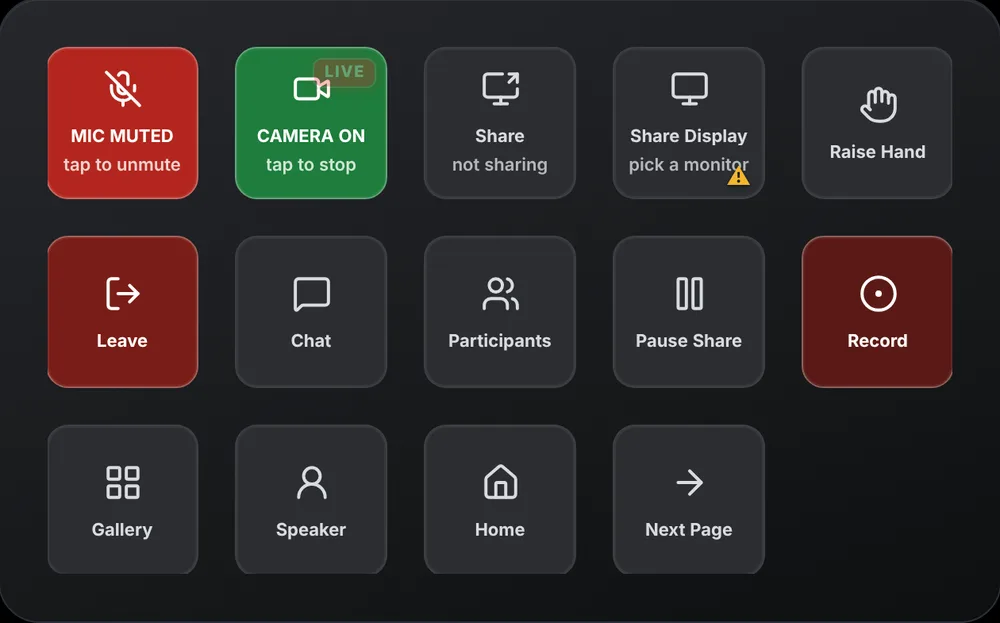
- Quit Elgato's Stream Deck app.Only one program can use the device. On Windows and Mac, stop Elgato's app from starting at login.
- Plug in the Stream Deck.It shows up in the Valu-Deck window within a few seconds, and in the Editor as its own device.
- Edit its pages.Open the Editor and pick the Stream Deck at the top (see below).
echo -e 'SUBSYSTEM=="usb", ATTRS{idVendor}=="0fd9", MODE="0666"\nKERNEL=="hidraw*", ATTRS{idVendor}=="0fd9", MODE="0666"' | sudo tee /etc/udev/rules.d/50-elgato.rules && sudo udevadm control --reload-rules && sudo udevadm triggerStream Deck keys
- One key, one button. A Stream Deck can't join keys together, so everything on it is exactly one key. Widgets like the clock or a timer are shrunk to fit. In the key's settings, Fit in the key lets you zoom in and move them.
- Home and Next Page keys are added to every Stream Deck page.
- Problems show on the key. If something can't run (for example, OBS isn't open), the key itself says why.
- Key Style: key colors from a theme, glows (RGB, rainbow, breathe, neon), the press effect (bounce, shrink, flash, ripple), title position and a background or idle picture.
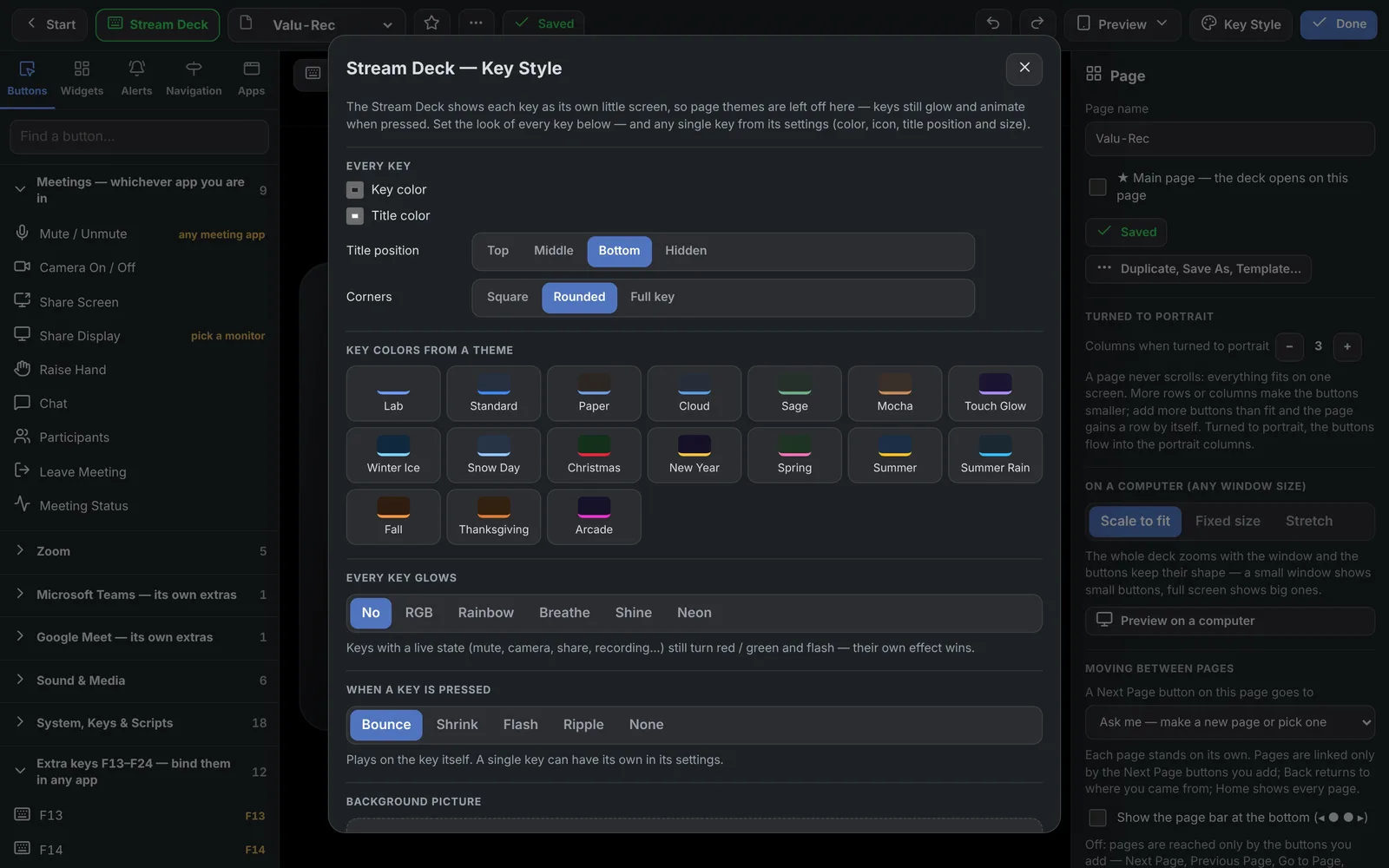
Tablets and Stream Decks at the same time
Use a tablet and a Stream Deck together, or several of each. Each one is independent.
- Separate page sets. Stream Decks have their own pages and key style. Tablets and phones share theirs. Changing one never changes the other.
- Different pages at once. The tablet can be on your Valu-Rec page while the Stream Deck shows Zoom. Each device moves between pages on its own.
- Same live state everywhere. Mute on the Stream Deck and the tablet's mic button turns red too. Start recording on the tablet and the Stream Deck's Record key starts flashing.
- More than one Stream Deck? Each one gets its own pages, so a Mini by the keyboard and an XL on the desk can show different things.
- Setups carry over. Set up Share Display on one button (pick the monitor and test it), and every button that shares that same monitor uses it, on tablets and Stream Decks alike.
Choosing what you edit
At the top of the Editor, Editing: shows Tablets & phones and each Stream Deck. Tap one to edit its pages. A plugged-in Stream Deck shows a green dot. When you edit a Stream Deck page, the deck follows along so you can see your changes on the keys.
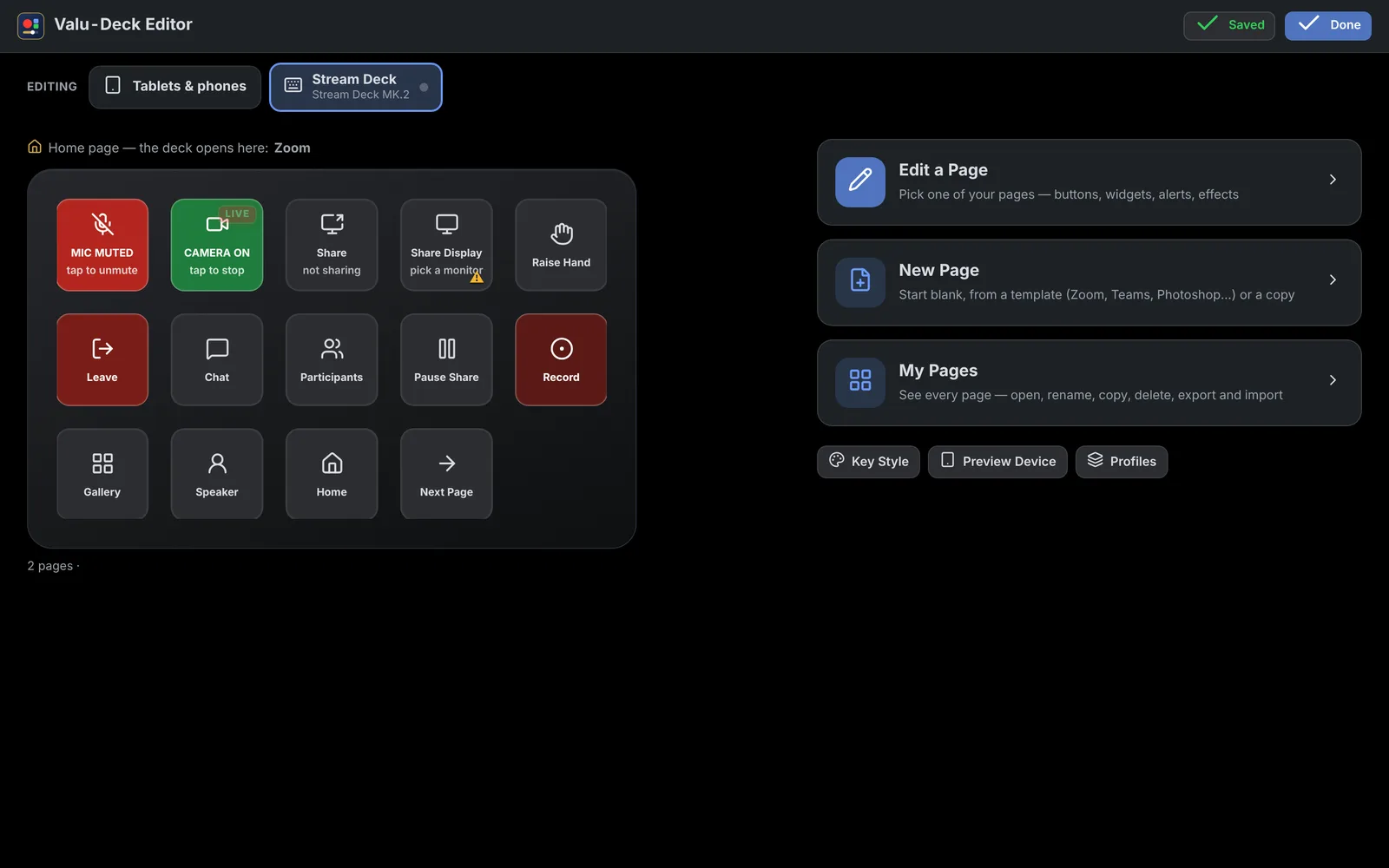
The Editor
Open it from the Valu-Deck window (Open Editor), the menu-bar menu (⌘E on Mac), or the pencil button on a tablet if Edit from devices is on.
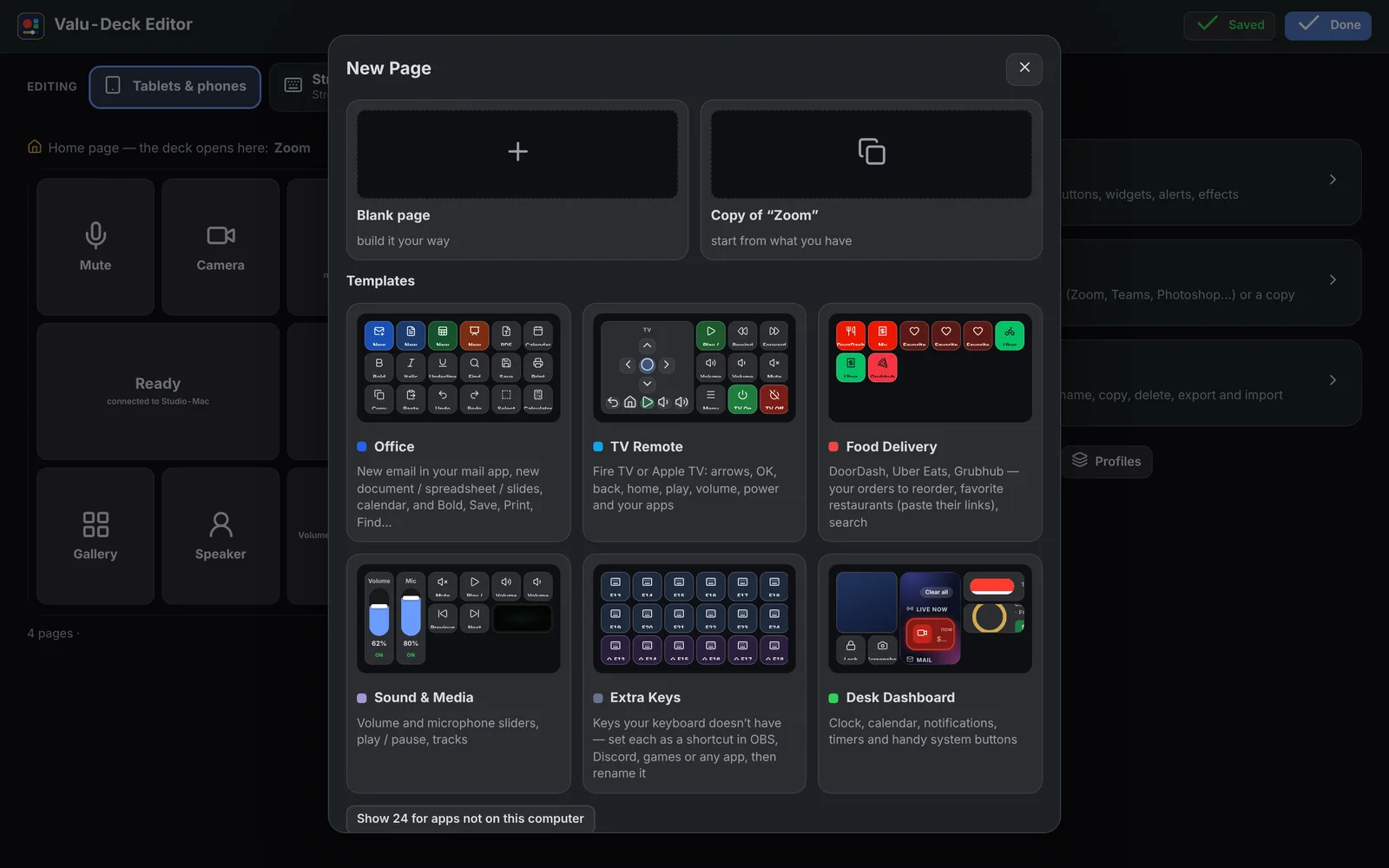
Building a page
Add
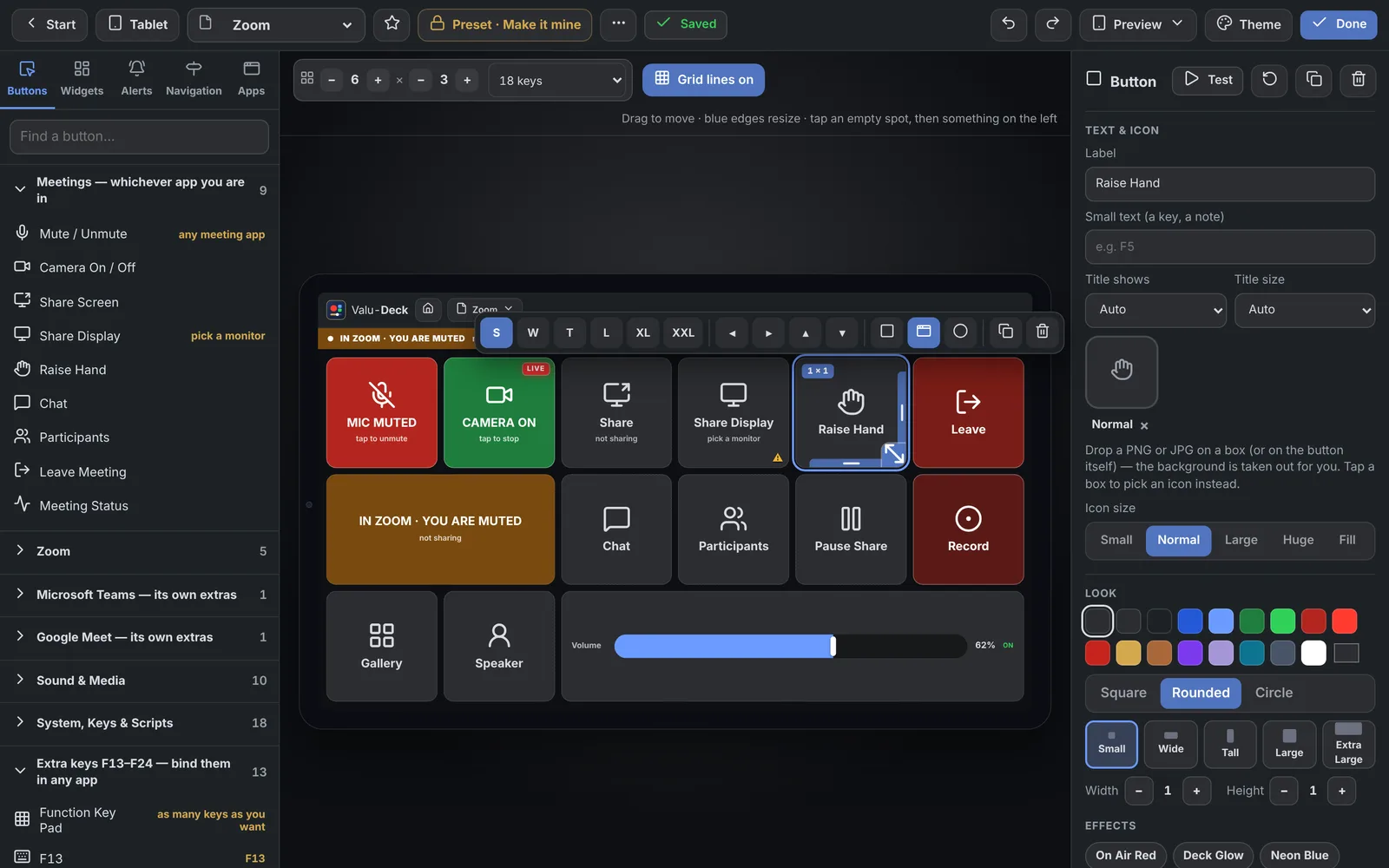
Drag a button from the left onto the page, or tap an empty spot and then a button. Tabs: Buttons, Widgets, Alerts, Navigation, Apps (your installed apps with their real icons).
Arrange
Drag to move. Pull the blue edges to resize (S, W, T, L, XL, XXL), or pick a shape: square, rounded, circle. Change the grid size at the top, up to 16 × 12.
Style
Label, small text, icon or your own picture (drop a PNG or JPG; you can give it on and off pictures), color, glow and press effect. Test runs it right away.
Presets are protected
Template pages are marked Preset. Your first change asks to save the page as your own, so you always keep a clean copy. Messed up a page? Use ⋯ › Start Over from a Preset.
Themes
Lab Dark, Lab Light or Follow System, plus per-page seasonal themes with animations (snow, fall leaves, Christmas, Thanksgiving, New Year and more) and button decorations like icicles. Stream Decks use Key Style instead.
Works with
| App | What the buttons do | Setup |
|---|---|---|
| Zoom, Teams, Webex, Google Meet | Mute, camera, share screen, share a chosen display (ON AIR on that button), raise hand, chat, participants, leave, record. Live state shown. | Mac: allow Accessibility once. Meet: allow JavaScript from Apple Events in Chrome. |
| OBS Studio | Scenes (the one on air is lit), record, pause, stream, virtual camera, replay, mute each audio source, studio mode, screenshot. Record and Stream flash while active. | In OBS: Tools › WebSocket Server Settings › Enable. Valu-Deck finds the password itself. |
| Valu-Rec | Record (flashes while recording), picture-in-picture layouts (the one in use is lit), witness, docs, side by side, swap, mic, stamp, clear offline. | Nothing. Open Valu-Rec on the same computer. |
| PRISM Live Studio, Streamlabs | Go Live, Record, Pause, scenes, mute, camera, replay, screenshot. Go Live and Record flash after you press them. | Teach each hotkey once in the app's Settings › Hotkeys: click the box, then tap the button on your deck. |
| Creative apps | Photoshop, Illustrator, Premiere, After Effects, InDesign, Affinity, Final Cut Pro and Compressor shortcuts. | Nothing. Keys are sent to the app (⌘ on Mac, Ctrl on Windows). |
| Fire TV, Apple TV | TV remote: arrows, OK, back, home, play/pause, volume, power, open an app. | Fire TV: turn on ADB debugging. Apple TV: Install Apple TV Support in the editor, then pair with the code on the TV. |
| Everything else | Open apps, websites and files, shortcut keys, F13–F24 extra keys, media keys, volume, scripts, close apps then shut down, Office, Gmail, Outlook, Discord, games. | Pick it in the button's settings. |
Help
The tablet can't connect
Make sure the tablet and computer are on the same Wi-Fi (not a guest network). On Windows, allow Valu-Deck on Private networks in the firewall. Type the address exactly as the Valu-Deck window shows it, including the :8730-style port number.
Buttons don't do anything on the Mac
Turn on Valu-Deck in System Settings › Privacy & Security › Accessibility. If it's already on, turn it off and on again after an update. The menu-bar menu › Check Permissions… tells you what's missing.
The Stream Deck stays dark or shows Elgato's screens
Quit Elgato's Stream Deck app (only one program can use the device), then unplug and replug it. On Linux, add the udev rule from the Stream Deck section.
A Stream Deck key shows a message
That's Valu-Deck telling you why the button couldn't run, for example "OBS isn't open" or "Valu-Rec isn't open". Fix the cause and press again.
The page switched by itself
A profile is set to switch when its app comes to the front. Turn off Switch profiles by app in the Valu-Deck window, or on that device turn off ⋯ › Profiles › Follow the computer.
Share Display shows a ⚠ mark
It needs to learn your meeting app's share window once: select the button, choose Set up next to your meeting app, pick the monitor, take the picture, tap the screen you want and test. Every button that shares that monitor uses the same setup.
The setup screen opened after a restart
Valu-Deck starts in the menu bar or tray. The window opens on its own only the first time, or if Show Window at Start is ticked in the menu-bar menu.
Is my information sent anywhere?
No. Valu-Deck talks only to devices on your own network, and new devices need the pairing code. You can see and remove paired devices in the Valu-Deck window, and New Code makes a fresh pairing code.